
Feature
AI cheat sheet from PDFs
Pull key points from your slides into a compact cheat sheet for exams.
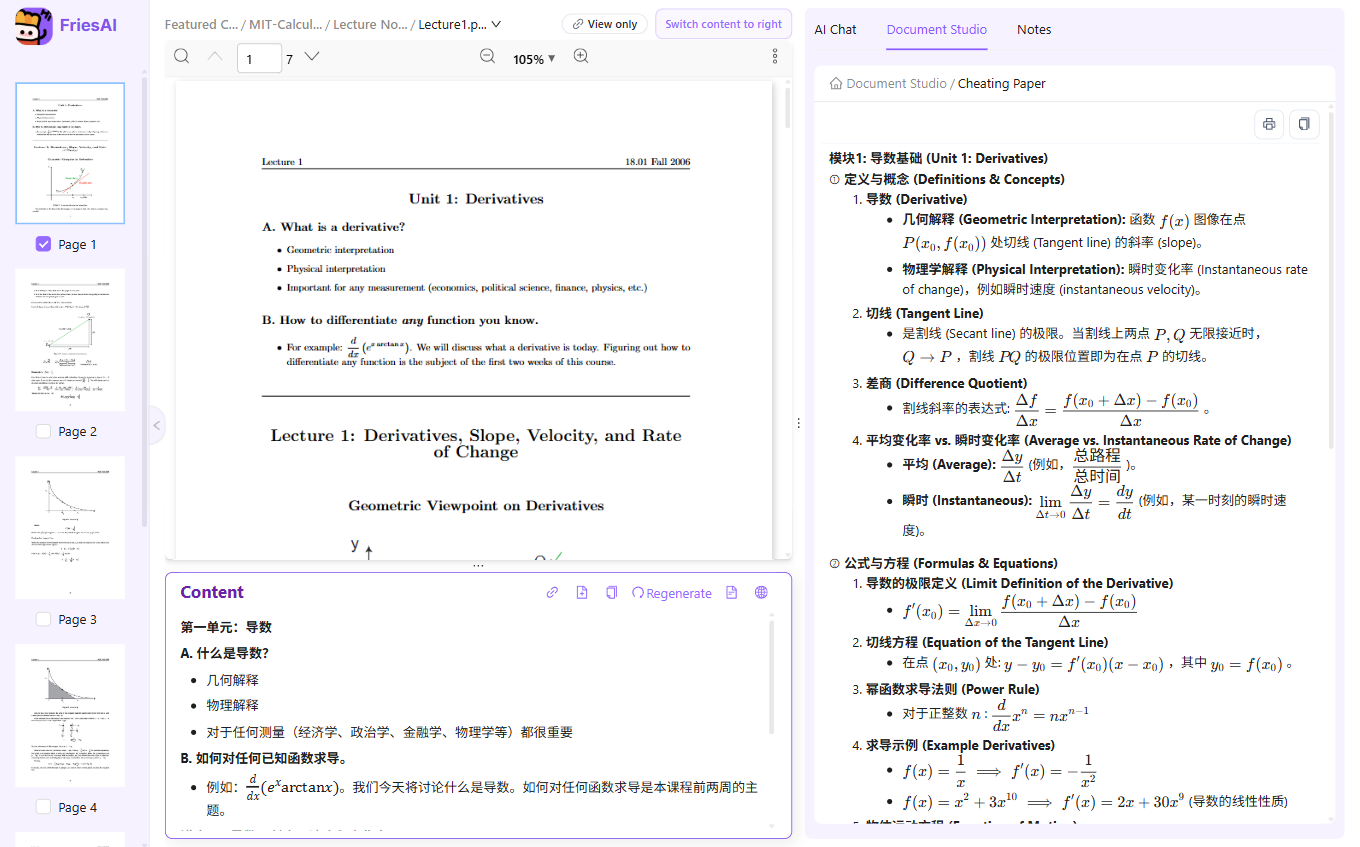
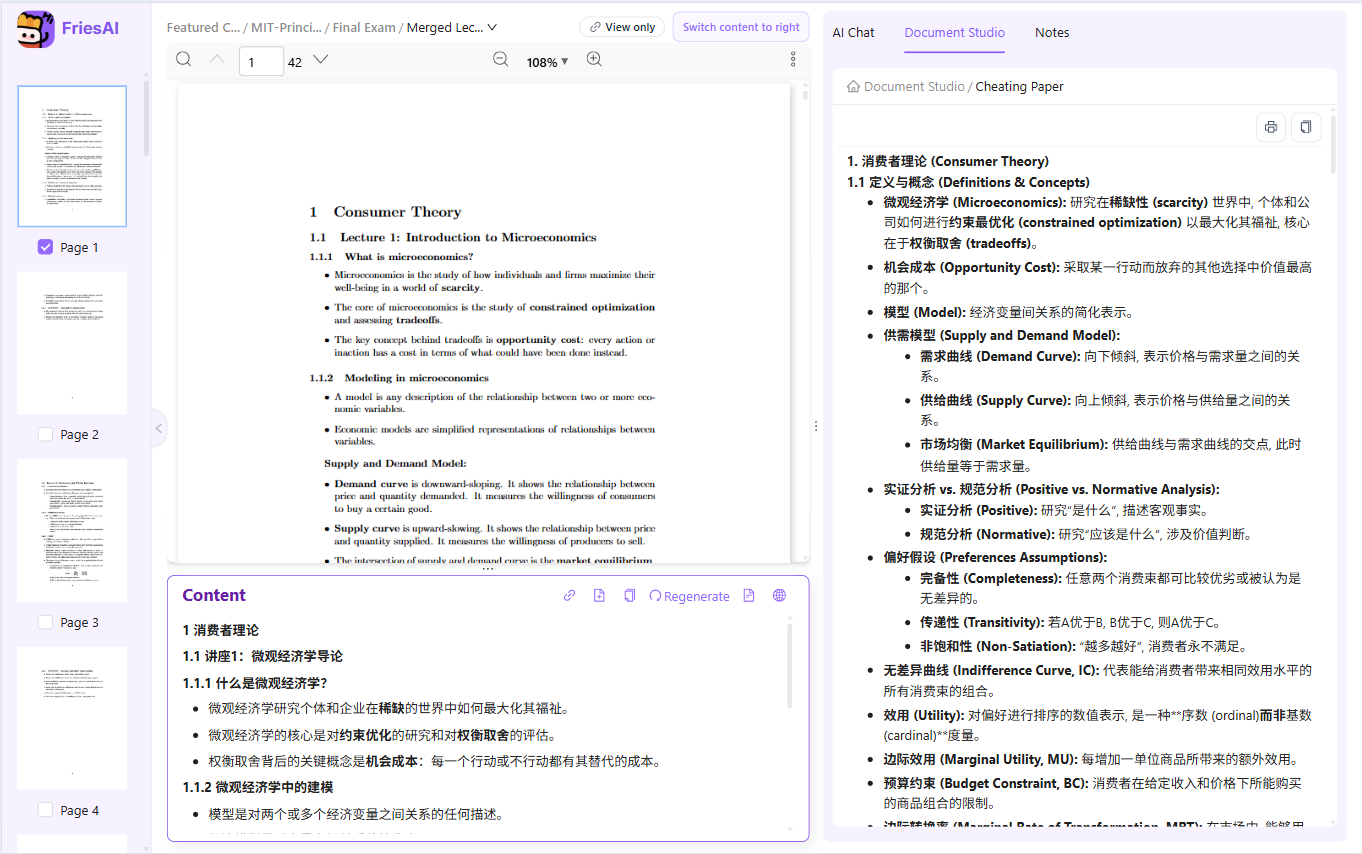
Open a PDF or folder → Document Studio → Cheating Paper to generate a compact revision sheet.
Study with your own course materials
An AI cheat sheet collects the definitions, formulas, and connections from your course materials into a compact revision guide. SlidesTutor calls this tool Cheating Paper in the app. Start with one lecture or a course folder, then check the generated sheet against the sources.
How to use it
- Open the PDF or folder containing the lectures you want to revise.
- Choose Document Studio, then Cheating Paper. Limit the source materials to the topics you need.
- Review the generated definitions, formulas, and key points against your lecture pages.
- Use the sheet to find gaps in your understanding and return to the original material for detail.
When it helps
A calculus sheet can bring related formulas into one place; a microeconomics sheet can group concepts by topic. Before an exam, use it as a checklist for recall and practice rather than reading every slide in sequence.
Limits and review
A compact summary can omit assumptions, derivations, or examples. Check equations and conditions against the source. A revision sheet is for study; whether it can be used during an exam depends on your course rules.
Paid AI tasks deduct US-dollar AI balance based on actual usage. Ordinary reading and note editing do not use AI balance. See pricing and free features
Live examples
Pull key points from your slides into a compact cheat sheet for exams.
FAQ
What is an AI cheat sheet?
A dense, exam-focused summary from your own uploads—not generic web content.
One PDF or many?
Generate from a single lecture or merge highlights across a folder of PDFs.
Related features
Try it on your own course materials
Start for free