
Feature
Homework solver
Upload a homework PDF—get step-by-step solutions you can review and download.
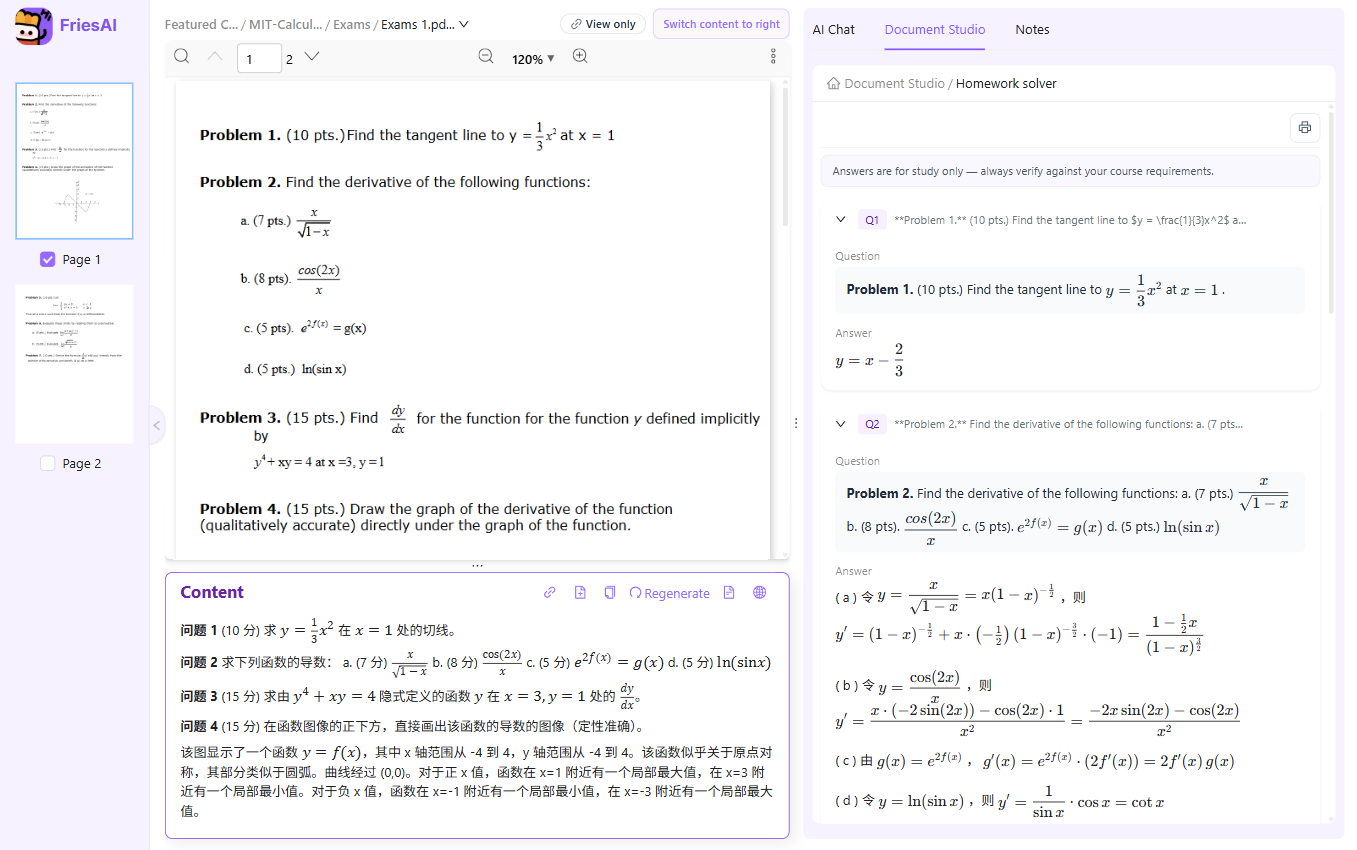
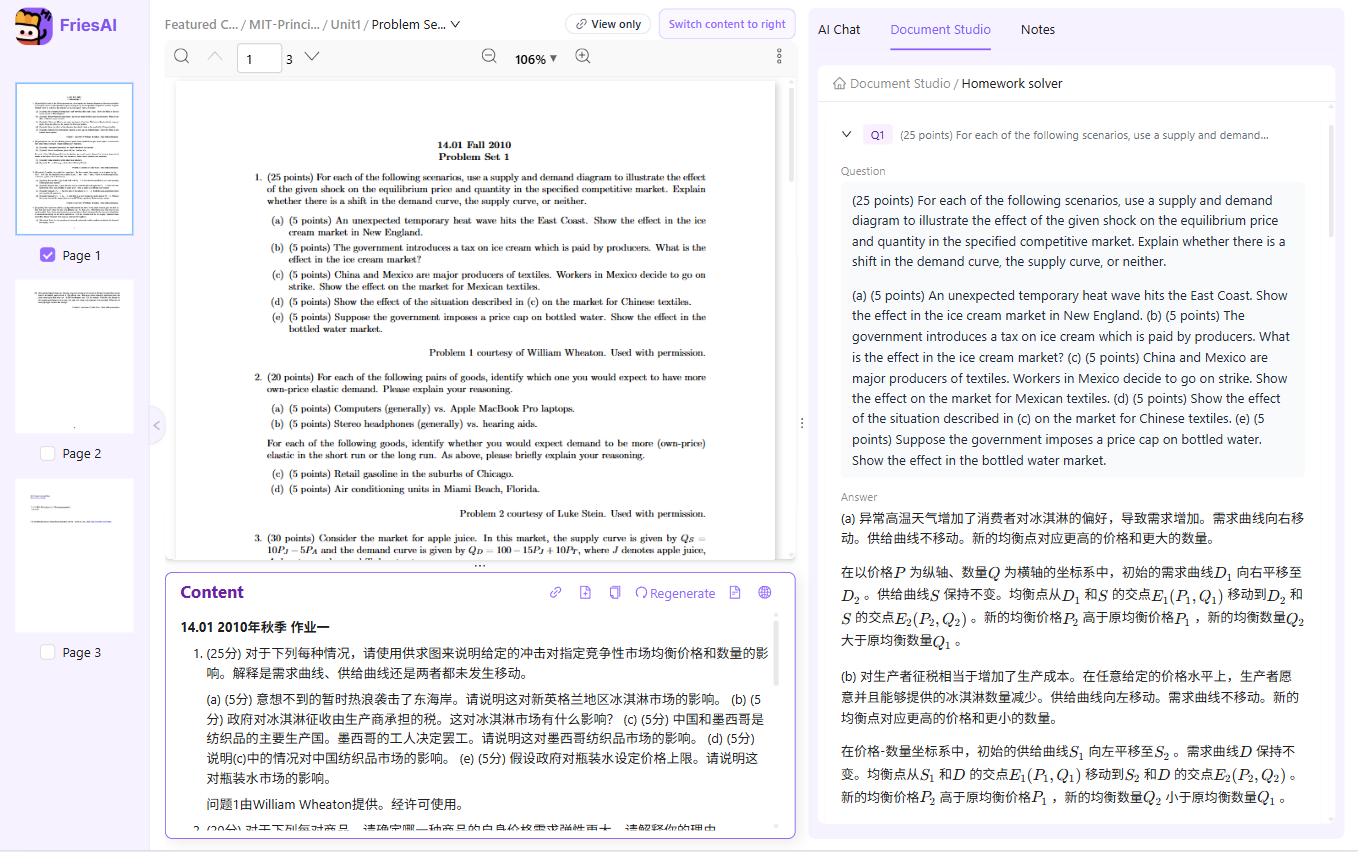
Open a PDF with problems → Document Studio → Solve to extract each question and generate step-by-step answers.
Study with your own course materials
Use problems in a PDF as a starting point for step-by-step study help. Inspect the reasoning, compare it with the course methods, and revise the explanation in your notes.
How to use it
- Open a PDF containing the problems.
- Choose Solve in Document Studio.
- Check the extracted question, assumptions, and each solution step.
- Import the explanation into a note to edit it, or export the result when you have reviewed it.
When it helps
Find the point where your working went wrong, compare an approach with a lecture example, or practice explaining why a step follows.
Limits and review
Question extraction and generated answers may be wrong, especially for diagrams and formulas. No completion time or answer accuracy is guaranteed; check the work and follow your course's assistance rules.
Paid AI tasks deduct US-dollar AI balance based on actual usage. Ordinary reading and note editing do not use AI balance. See pricing and free features
Live examples
Get step-by-step help for problems tied to the slides you opened.
FAQ
Can I edit the answers homework solver generates?
Yes. Import the results into a note and edit them like any other document.
Can I export the solutions as PDF?
Yes. Export from the solver page directly, or import into a note first and export the note as PDF when you are done editing.
Related features
Try it on your own course materials
Start for free