
Feature
Lecture intro
See the structure and key sections before you read every page.
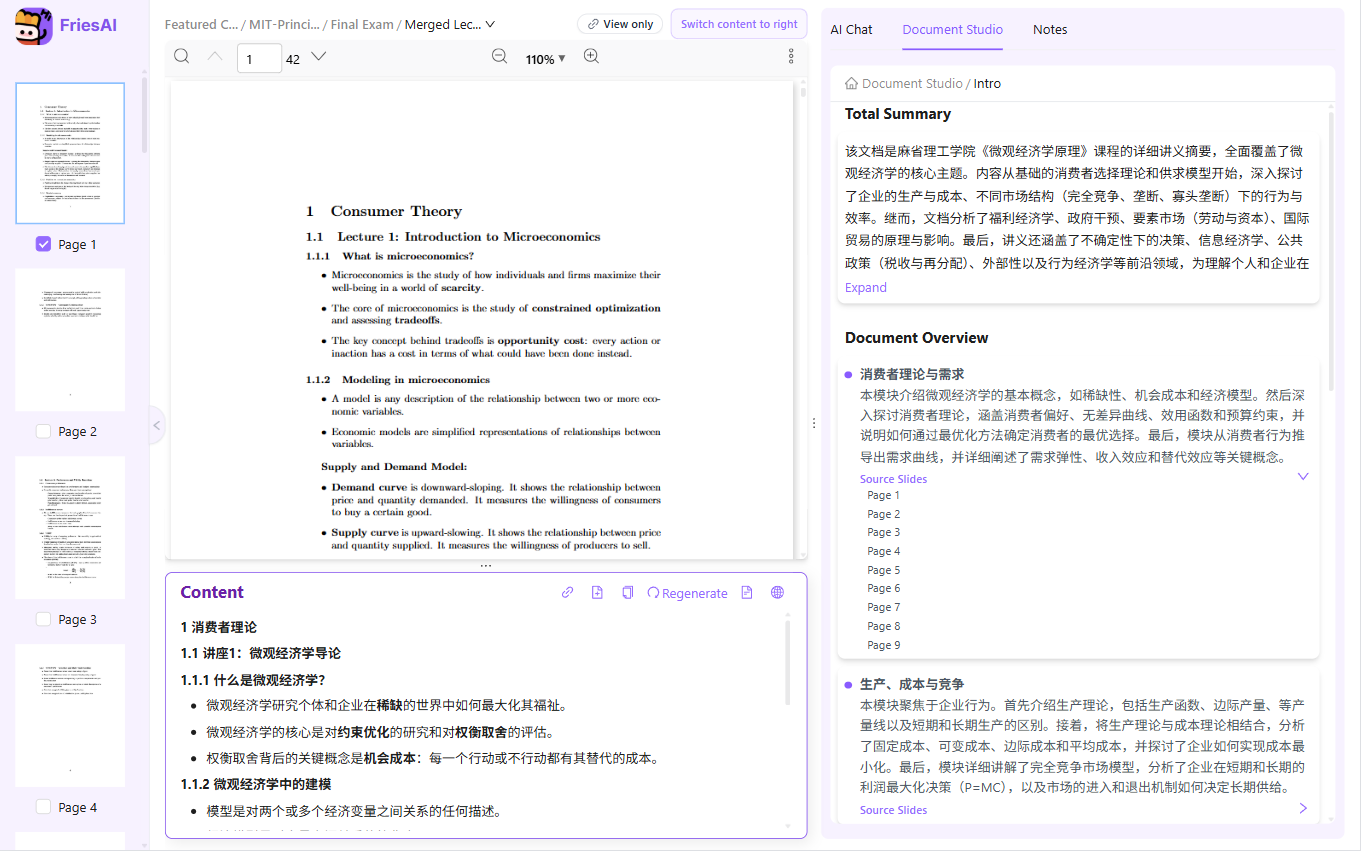
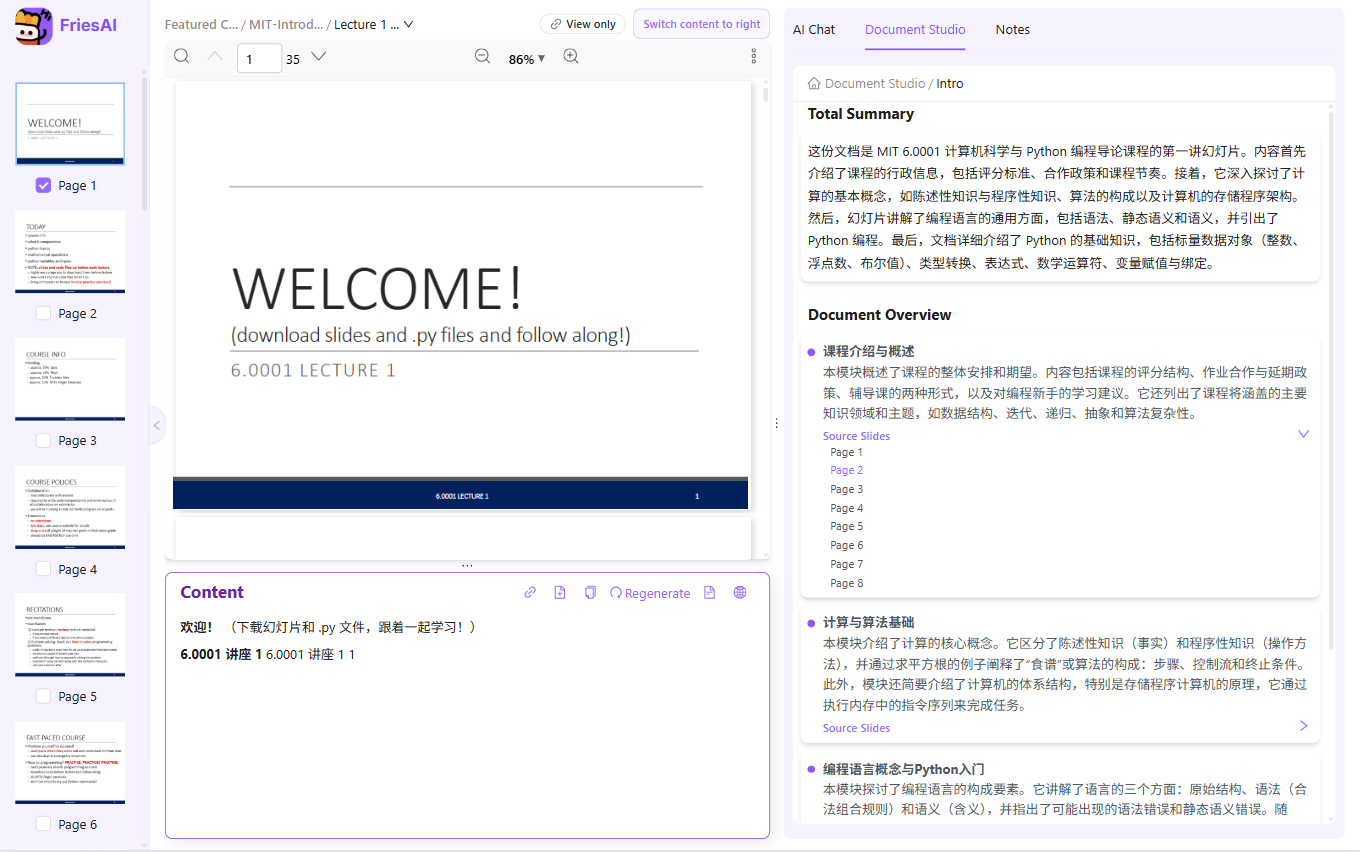
Open a PDF → Document Studio → Intro to generate a full overview and section summaries.
Study with your own course materials
Get a first-pass overview of a lecture before reading every page. The introduction and outline help you identify major topics and decide which sections deserve closer attention.
How to use it
- Open the lecture PDF.
- Choose Intro in Document Studio.
- Read the overview and compare the section structure with the source.
- Continue into the original pages for definitions, proofs, and examples.
When it helps
Orient yourself before a class, revisit a lecture you missed, or plan a revision session from the chapter outline.
Limits and review
An AI overview can omit details or misunderstand emphasis. It helps you navigate the document; it does not replace reading the full lecture.
Paid AI tasks deduct US-dollar AI balance based on actual usage. Ordinary reading and note editing do not use AI balance. See pricing and free features
Live examples
AI summary and section overview—see the structure before you read page by page.
FAQ
When should I use intro?
Before your first read of a new course pack.
Is it a replacement for reading?
No. It orients you so the full read goes faster.
Related features
Try it on your own course materials
Start for free